Mystical Tint Tone Color 2.0

Mystical Tint Tone and Color 2.0 for Windows

 
Mystical Tint Tone and Color 2.0 includes 60 cutting-edge filters for rapidly improving and enhancing photos in a production environment. Mystical Tint Tone and Color 2.0 is a true work-horse for professionals who need to save time and money while delivering the best creative possible. Increase customer satisfaction and drive sales by generating outstanding creative results with this software.


Here's a Quick Example of What MTTC 2.0 Does
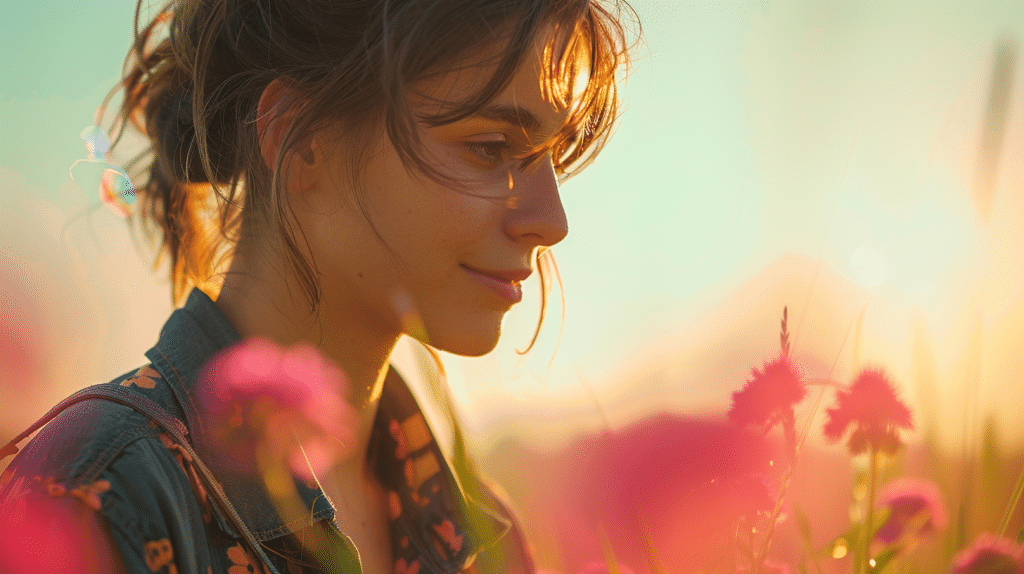
In the example above, it took around 3 minutes to generate this portraiture look. {Roll your mouse over each link to see the results as they are applied}. Here is the Original (1). First fade wrinkle by using: Smooth Skin (2).

Next, even out the skin color and remove tiny blemishes using: Skin Color (3). Change effect to set a certain mood use a High Key Blast filter (4). Obviously any filter allows you to set a mood or tone for your subject depending upon their environment. Anotheradded a color effect is added to our example: Afternoon Sun (5) to giving the composition some warmth. A final step is to add a Color Tone (6) filter to scaling back and toning down the colors.

Mystical Tint Tone and Color 2.0 contains 60 filters whereby each can be combined together to create a virtually infinite set of looks and moods that give you a true creative edge. This can be combined and used in one iterface when combined with Mystical Lighting and Ambiance 2.0 and Mystical Focus. There are over 300 instant presets included with Mystical Tint Tone and Color 2.0. You can also capture looks as presets and apply them to other photos or digital images.
 
 
Photoshop Users Love This Product
MTTC 2.0 is tightly integrated with Photoshop and compliments it beautifully. To use it go under the Filters menu in Photoshop and your photo appears in our software. The best part is that MTTC 2.0 requires no special techniques, masking or repetitive processes like Photoshop. You simply pick a solution then preview and refine the results. It's fast and gives outstanding, consistent results.

View image enhancements created with MTTC 2.0: Open Slide show
 
 
MTTC 2.0 Screenshot
 
New Improved Interface
The new interface design includes a streamlined workflow with larger and faster before/after previews, an improved rendering engine, brush palettes, new effect layers, easier brush-on / brush-off tools, instant effect presets with larger previews and much, much more!


New and Improved Effects
We really pulled out all the stops in this release and have 22 new effects plus we've redesigned and improved every effect in the entire suite!

There are 60 effects, each of which can be combined with others to offer a dynamic playground for making your images flawless.

This new release contains over 300 instant presets and nearly an unlimited number of effect combinations and settings.


View Slideshow of Filters   

  New and Improved Effects
 
 
New Moods and Looks


New Portrait Filters
We've streamlined enhancing portrait shots with a suite of filters (8 in all) that smooth skin, color skin, enhance flesh tones, enhance eyes, lips and hair and can even reshape and touch-up facial and body features. These go from the very subtle to the extreme depending upon your needs.

 
New Portrait Filters

 
Powerful Results on Portraits


Easily remove blemishes, oily skin, and even out the colors and tone of the skin for your most important portrait shots. They're a snap to use; just Brush-On / Brush-Off! View examples here: Portrait Filters.
 
 
New HDR Effects


New Presets
 
All New Preset Effects
Experience hundreds of new pre-made effect combinations that give you a wide variety of instant looks. You can also design your own presets and save them so you can apply them to other photos later. Roll-over previews will show the original / effect result to help guide you to the right solution for your photo.
 
 
New Effect Masks Feature

 
New Effect Mask Features
Easily create artistic grunge, textured and stylized effects in seconds using almost any effect in the suite to generate the look you're after. The effect is creatively filtered through a mask to apply the results to the image giving you some fantastic looks your clients will love!

 
Easily Fix Problem Shots

 
Easy Solutions with Great Results
There are no hard-to-apply techniques or tricks to Mystical Tint Tone and Color 2.0. Whether you need to quickly fix a problem photo or simply want to make a great photo its very best, Mystical Tint Tone and Color 2.0 provides you the perfect easy to use tools.
 
 
Combine Effects Together

 
Combine Effects Together
Stack different effect layers together to make new looks. Change the blending opacity, stacking order and dynamically change any setting you like. With over 60 filters to choose from you can produce just about any look you're after. You can also turn effects on and off to view the stack with or without them.


Brush Palettes
 
Brush on Effects Are Fast and Easy
Get exactly the look you're after with powerful brush on effects. Easily apply an effect to the entire photo or just to the areas you want with the Brush-On / Brush-Off tools. Brush on sharpness, color and tonal adjustments - just about every effect in this suite can be brushed on and off to fit your exacting needs.
 
 
New Effect Brushes

 
New Effect Brushes
You can now choose from over 200 effect brushes that apply the selected effect through creative patterns. This feature lets you apply color and tonal effects using patterns like: watercolor brushes, oil, charcoal, chalk, sponges, scratches, splats, clouds and many other styles.

 
Mystical Tint Tone and Color 2.0    


Watch Video


Make your product shots look great by streaming in natural light and atmospherics.


Mystical Tint Tone and Color 2.0    


Watch Video


Create a warm, soft depth effect using Mystical's easy to use filters. This quick video tutorial shows you how to do it.


Mystical Tint Tone and Color 2.0    


Watch Video


Turn your portraits into soft black and whites with a glamour glow styled look.


Mystical Tint Tone and Color 2.0
 
Mystical Tint Tone and Color 2.0 Professional Edition
Mystical Tint Tone and Color 2.0 is production oriented software for pros and novices alike, who want to do more creative enhancement work in less time with far less steps. MTTC 2.0 lets you find the right solution and jump-start your work with over 300 instant preset combinations of different filters and effects.

Supports Mac OS X 10.4 - 10.8.3 (including Lion and Mountain Lion) and Windows XP / Vista / Windows 7 / Windows 8.
 
 
Purchase Full Version for $249 | Purchase Upgrade Version for $129
Now available for download or physical delivery
 
Purchase Full Version
Purchase Upgrade


Mystical Suite
 
Consider Purchasing the Mystical Suite and Save $200
If you like Mystical Tint Tone and Color you'll love what you can do with it in combination with Mystical Lighting and Ambiance 2.0 and Mystical Focus. The Mystical Suite integrates all three products into a powerful solution that gives you over 100 visual effects that can be combined together to generate outstanding looks for your photos and digital images.
 
Product Details | Purchase the Mystical Suite for $399
Now available for download or physical delivery
 
Mystical Suite